SLAP-5 v0.1.63 hardware testing
Experimental FM-1 build. Physical JUNGLE stress qualification is pending.
A five-track groovebox for the M-VAVE FM-1 with four melodic tracks, a drum track and sixteen shared voices.
Install on FM-1 · Open SLAP Studio · Open the FM-1 emulator
Performance controls
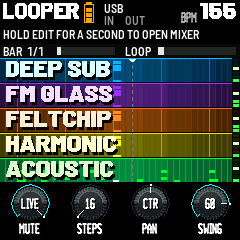
- HOME opens the looper. Press again for visualizers. SELECT chooses a track.
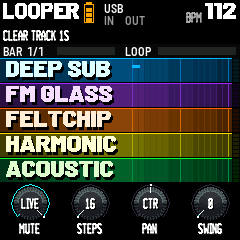
- HOME K1–K4 control track mute, pattern length, stereo pan and swing. Turn K1 left to mute or right to unmute. During playback, mute and supported length changes queue for the next bar.
- Tap REC to start or finish a take. Recording preferences set overdub or replace and count-in behavior.
- On HOME, hold REC + OCT− for two seconds to clear the selected track. Hold REC + OCT+ for five seconds to reset the working song. Release early to cancel. Saved songs and system preferences remain available.
- Tap EDIT for Sound Lab. Hold EDIT for one second for MIXER.
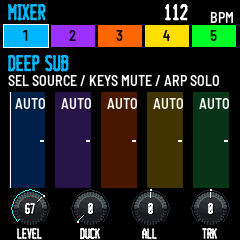
- MIXER K1–K4 adjust level, duck, all-track filter and selected-track filter. ARP toggles solo, and SELECT + K2 changes the duck source.
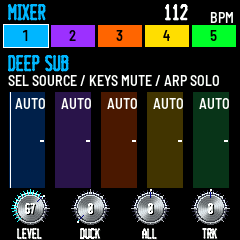
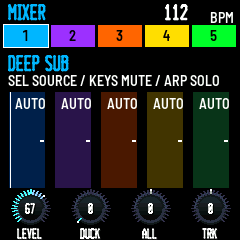
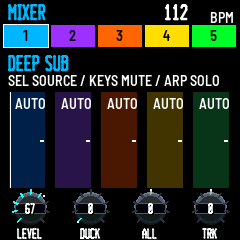
- In SETTINGS → DISPLAY, turn K3 to choose the knob theme.
Sound and connectivity
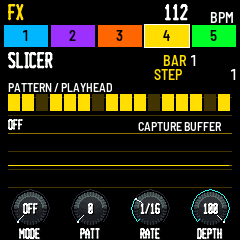
25 synthesis engines, 25 factory drum kits with 16 sounds each, independent track patterns, LIVE FX, SLICER and USB audio/MIDI. The firmware uses 44.1 kHz audio, 256-frame callbacks and a 240×240 RGB565 display. Standard patterns span 16, 32 or 64 steps. ROLE can generate 128-step Lead, Keys and Harmony phrases.
Firmware gallery
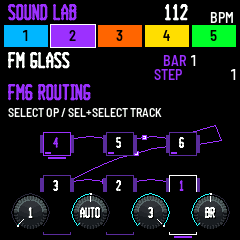
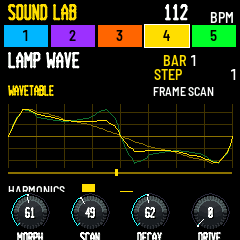
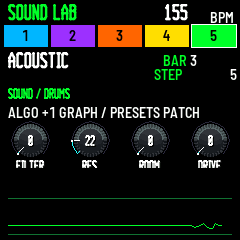
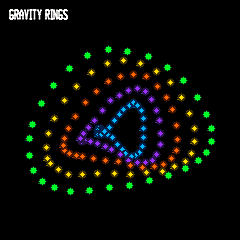
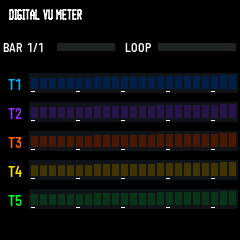
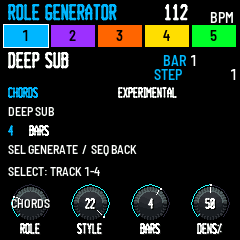
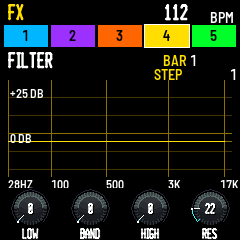
240×240 captures from the v0.1.63 firmware host renderer.
Sequencing and generation
Press SEQ twice on a melodic track to open ROLE GENERATOR. Turn SELECT to switch among tracks 1–4. K1 selects the role, K2 the style, K3 the phrase length and K4 the note density. Press SELECT to generate and confirm before replacing events when prompted. Lead, Keys and Harmony support up to eight bars. On the drum track, press SEQ twice to open GEN DRUMS.
Studio and emulator
Use the FM-1 emulator for the firmware controls, ROLE GENERATOR, Sound Lab and FX pages. Use Studio for piano roll and drum editing, song arrangement, mixing, project import and export, and drum generation. Both browser tools ship with the v0.1.63 build. Save a separate copy before moving a working project between environments or rolling back firmware.
Install and recover
Back up song banks first. Use Chrome or Edge and a USB data cable for browser installation. The installer lists supported starting versions and hardware layouts. M-Flasher is the desktop fallback for compatible hardware.
Browser installer · M-Flasher firmware · Checksums · Previous primary installer · v0.1.62 rollback installer
v0.1.63 release notes
HOME K1 queues track mute changes at the bar boundary during playback. ROLE writes editable held notes and considers preceding sustained notes on other tracks. Factory hats, shaker and bell sounds were differentiated while preserving lane assignments. Native build, software regression and simulated rollback checks passed. Physical listening and sustained-load measurements remain open.
Qualification and engineering backup · Open work and physical acceptance